Best played in landscape — rotate for larger controls.
Rising Stars of India — Unity Quest
📝 Description
Different roots. United dreams.
Rising Stars of India — Unity Quest is a cinematic learning adventure inspired by the NANDAX patriotic song project Mitti Alag, Tiranga Ek. Travel through all 28 states and 8 Union Territories in a collection of 36 regional missions. Solve memory sequences, timing tasks, arithmetic puzzles, patterns, picture mosaics, route-planning challenges and logic games. Each mission contains three randomized gameplay rounds followed by a slogan challenge, making 144 challenge stages in total.
Discover Hindi slogans with English adaptations, listen to bilingual narration where supported, and earn a star and 300 XP for every completed region. Explore India and the achievement gallery to revisit regions and track your progress. The game supports mouse and touch input, kids mode, reduced motion and light/dark display preferences. Progress is saved locally in your browser when storage is available.
Created by NANDAX for Games4Studies. The song-inspired visuals are creative illustrations, not documentary depictions of every region.
Explore the Rising Stars of India campaign:
Watch the complete song: https://youtu.be/Pgk4K8E4554
Watch the Short: https://youtube.com/shorts/JhoeNX3TtTY
Read the Learning Hub article: https://www.games4studies.com/post/rising-stars-of-india-learning-adventure
Discover DhunFX Studio: https://creative.nandax.in
📋 Instructions
1. Select Start Unity Quest. Swipe or use the arrows to browse the mission cards, or choose a region from Jump to.
2. Open a mission and follow the on-screen challenge instructions. Use a mouse or tap/drag on a touch screen.
3. Complete three rounds, then arrange the words to solve the regional slogan challenge.
4. Listen to the Hindi or English slogan using the audio buttons. Voice availability and quality depend on the device; bundled fallback speech is synthetic.
5. Earn a star and 300 XP when you finish a region. Check My stars or Achievement gallery to track completed regions.
6. Open Settings to adjust music, sound, language, kids mode and motion. Use fullscreen for more space.
Tip: Landscape is recommended for picture and logic boards; portrait mode is also supported.
🏆 Leaderboard
🎯 Categories
🏷️ Tags
🎮 You May Like
Free Activity
 CVC Words Picture Quiz
 helps learners connect pictures with simple consonant-vowel-consonant words. It supports phonics…
View Details
Play
Free Activity
Kids Counting Machine
Kids Counting Machine is a colourful counting activity for young learners. Children observe objects, count them, and an…
View Details
Play
Free Activity
Logic Game: Alphabets
Logic Game: Alphabets is an English letter-order activity for young learners. Students fill in missing letters in the c…
View Details
Play
★ Premium
Yoga Cards for Kids
Yoga Cards for Kids is a gentle movement-card activity that introduces simple poses with child-friendly prompts. It can…
View Details
Access Info
Free Activity
Atom Builder
Atom Builder is an interactive science activity where students explore atomic structure by combining protons, neutrons,…
View Details
Play
Free Activity
Photosynthesis: Basic Version
Photosynthesis: Basic Version is a biology simulation that introduces how plants use sunlight, water, and carbon dioxid…
View Details
Play
Free Activity
All About Pi
All About Pi is a visual learning activity about the constant pi and its role in circles. Students explore the relation…
View Details
Play
Free Activity
Animals Venn CHO
Animals Venn CHO is a Venn diagram sorting activity for herbivores, carnivores, and omnivores. Students classify animal…
View Details
Play
Free Activity
Punjabi Alphabet Groups
Punjabi Alphabet Groups is a Punjabi letter-sorting activity for early and primary learners. Students group letters cor…
View Details
Play
Free Activity
Punjabi Alphabet Sequencer
Punjabi Alphabet Sequencer helps learners practice Punjabi letters, order, and recognition through an interactive seque…
View Details
Play
Free Activity
Marbles Probability
Marbles Probability is a visual probability game based on marbles and outcome prediction. It helps learners practice li…
View Details
Play
Free Activity
Currency Lesson #1
Currency Lesson #1 helps learners practice money recognition, counting, and exact payment through a shopping-style acti…
View Details
Play
 CVC Words Picture Quiz
 helps learners connect pictures with simple consonant-vowel-consonant words. It supports phonics…
View Details
Play
Free Activity
 Kids Counting Machine
 is a colourful counting activity for young learners. Children observe objects, count them, and an…
View Details
Play
Free Activity
 Logic Game: Alphabets
 is an English letter-order activity for young learners. Students fill in missing letters in the c…
View Details
Play
★ Premium
 Yoga Cards for Kids
 is a gentle movement-card activity that introduces simple poses with child-friendly prompts. It can…
View Details
Access Info
Free Activity
 Atom Builder
 is an interactive science activity where students explore atomic structure by combining protons, neutrons,…
View Details
Play
Free Activity
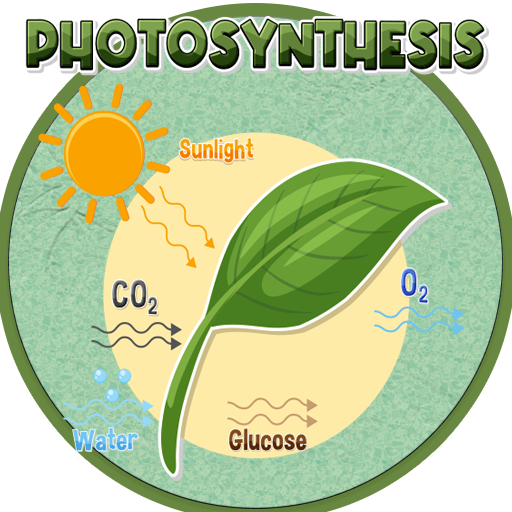 Photosynthesis: Basic Version
 is a biology simulation that introduces how plants use sunlight, water, and carbon dioxid…
View Details
Play
Free Activity
 All About Pi
 is a visual learning activity about the constant pi and its role in circles. Students explore the relation…
View Details
Play
Free Activity
 Animals Venn CHO
 is a Venn diagram sorting activity for herbivores, carnivores, and omnivores. Students classify animal…
View Details
Play
Free Activity
 Punjabi Alphabet Groups
 is a Punjabi letter-sorting activity for early and primary learners. Students group letters cor…
View Details
Play
Free Activity
 Punjabi Alphabet Sequencer
 helps learners practice Punjabi letters, order, and recognition through an interactive seque…
View Details
Play
Free Activity
 Marbles Probability
 is a visual probability game based on marbles and outcome prediction. It helps learners practice li…
View Details
Play
Free Activity
 Currency Lesson #1
 helps learners practice money recognition, counting, and exact payment through a shopping-style acti…
View Details
Play
Rising Stars of India — Unity Quest
Verify It! — Guardians of the Digital Community
Diwali Mithai Card Battle — Play, Learn & Celebrate

Sprite & Image Tools
LinguaMatrix Micro Arcade
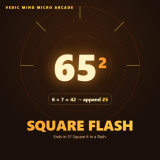
Vedic Mind Micro Arcade

Boom Bites: Two-Player HTML5 Strategy Game
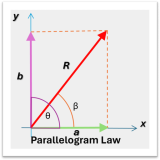
Parallelogram Law of Vector Addition

All About Pi

Monte Carlo Pi Approximation Lab

Buffon's Needle Probability Lab
Legion of Numbers

Centre of Mass Simulation: Man and Plank
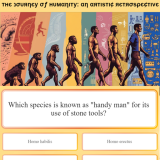
Human Evolution: Visual Learning Journey
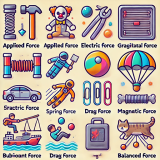
Understanding Different Types of Forces
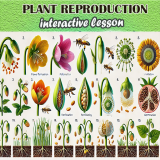
Plant Reproduction with Subtitles

Human Fertilization Stages: Hindi Version
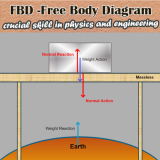
Free Body Diagram Practice
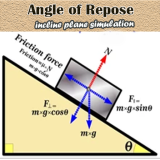
Angle of Repose Simulation

Vernier Calliper Simulator

Heron's Formula Triangle Simulator
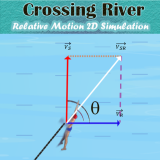
River Crossing: Relative Motion Simulation

Kepler's Laws of Planetary Motion
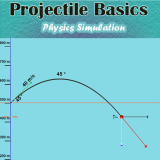
Visual Projectile Motion Simulation
Convergence Chase Simulation
Town and Bus Puzzle Simulation
Uniform Circular Motion Simulation
Forward-Backward Walk Logic Puzzle
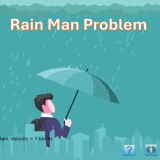
Rain Man Problem: Relative Velocity Simulation
💭 Comments